
HORI Control Center
HORI Control Center
App Information
- Latest App Version: Ver. 1.1.42
-
Compatible Products:
- SPF-050U / NOLVA REACTOR Mechanical All-Button Arcade Controller for PlayStation®5, PlayStation®4 and Windows PC
- SPF-034E / ACE COMBAT 8: WINGS OF THEVE™ Flight Stick for PlayStation®5, PlayStation®4 and Windows PC
Contents
- Downloading HORI Control Center
- Installing HORI Control Center
- Updating the Firmware
- If the Firmware Update Is Unsuccessful
Downloading HORI Control Center
Follow the steps below to download and install the dedicated HORI Control Center app.
1. Download HORI Control Center
Installing HORI Control Center
2. Run the downloaded file
Open the downloaded file and follow the instructions to install HORI Control Center.
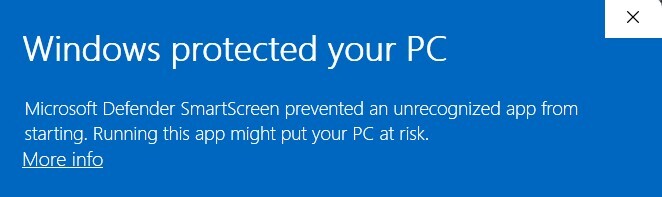
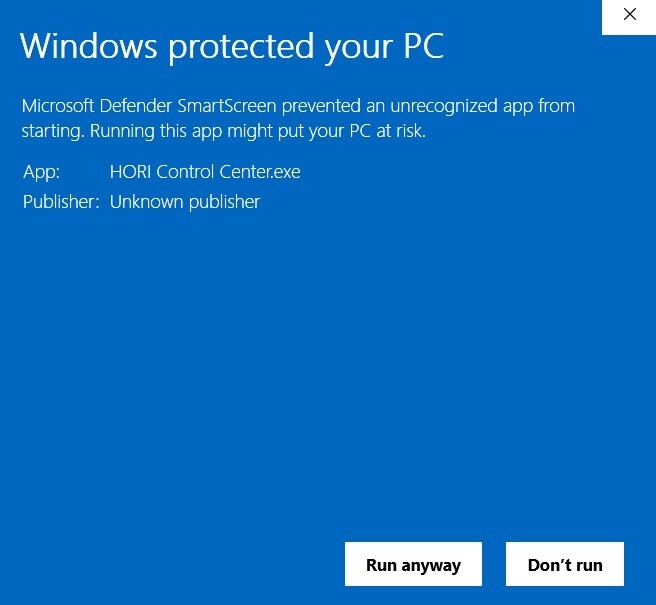
When launching the EXE file, please select “More info” and then “Run anyway” if this message appears.
3. Select the language
Select English as the language and continue with the installation.

Updating the Firmware
Once you have downloaded and installed HORI Control Center, follow the steps below to update your product's firmware.
1. Open HORI Control Center
Launch HORI Control Center and click “Options” in the top-right corner of the screen.

2. Select Update
Click “Update” in the top-left corner of the screen.

3. Update the Firmware
Click “Update Version” to start the firmware update.
Important: Do not disconnect the USB cable until the update has been completed.

4. Confirm the Update
Once the update has finished, check that the product is running the latest firmware version.
If the firmware is not up to date, the “Update Version” button will be displayed in blue.
If the Firmware Update Is Unsuccessful
If the firmware update does not complete successfully, disconnect the product from your PC and then reconnect it.
After reconnecting the product, launch HORI Control Center and try the firmware update again.
Note: For controllers, connecting the controller while HORI Control Center is already running will automatically display a firmware update notification when an update is available. Please follow the on-screen instructions to complete the update.